How can you buy apps via Google Play?
Once you have used the pro version of Water Map Live for Android for four days, you can upgrade the app to continue using it permanently. That only costs €6.99 per year, but how exactly does top-up work? Fortunately, in practice it is quite easy, with this step-by-step plan you can do it within 5 minutes.
Dutch Version 🇳🇱 | German version 🇩🇪
Upgrading Water Map Live is definitely worth it: you keep permanent access to the app and thus a valuable digital toolbox for the water. But how exactly does it work? Here's how to top up for Apple iOS devices. If you use an Apple device with iOS, read here how to top up in the Apple App Store.
Step 1: Launch Google Play
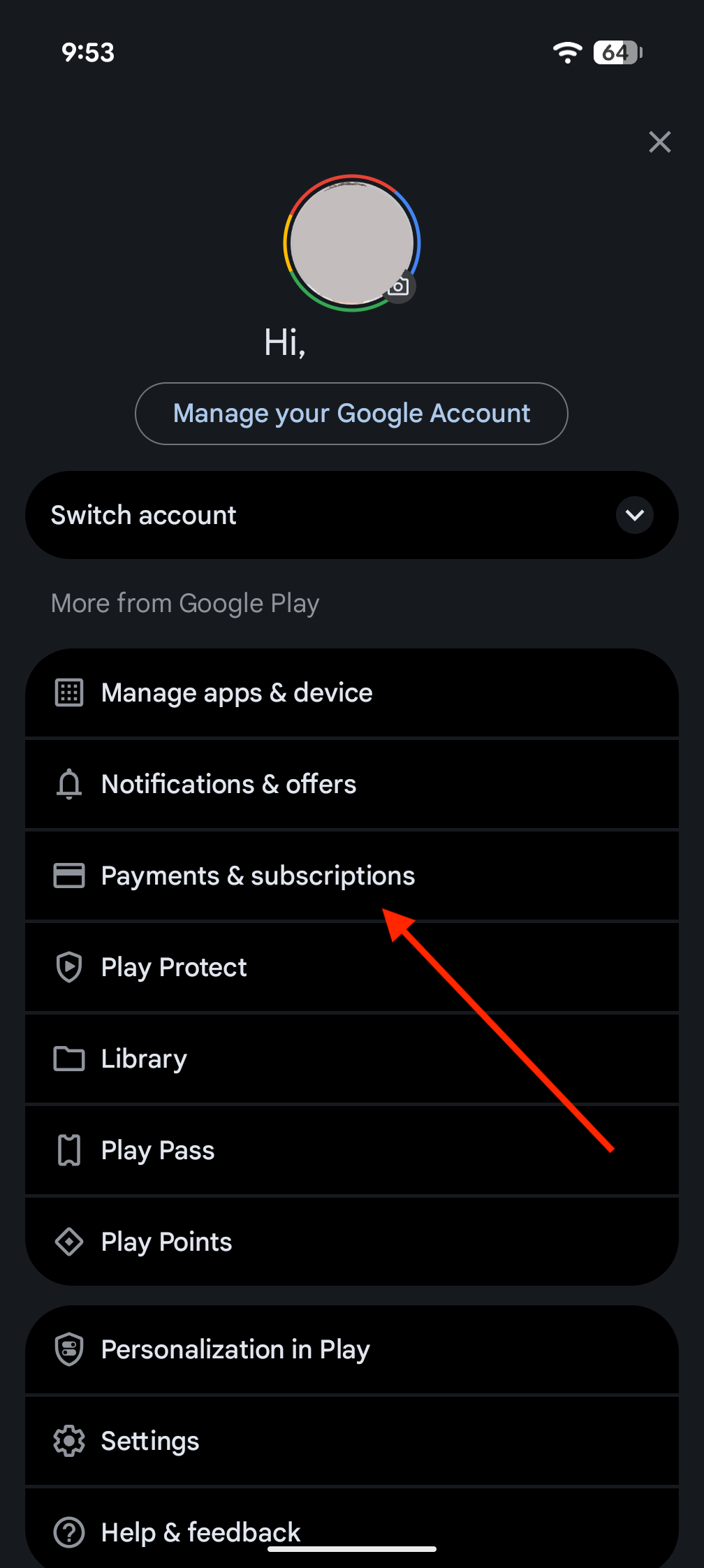
In order to purchase apps, including if you top up Water Map Live via the in-app payment, you need to link a payment method to your Google account. You can do this by first starting the Google Play app (not Water Map Live, but the Android app store, Google Play).
Step 2: Open the settings menu
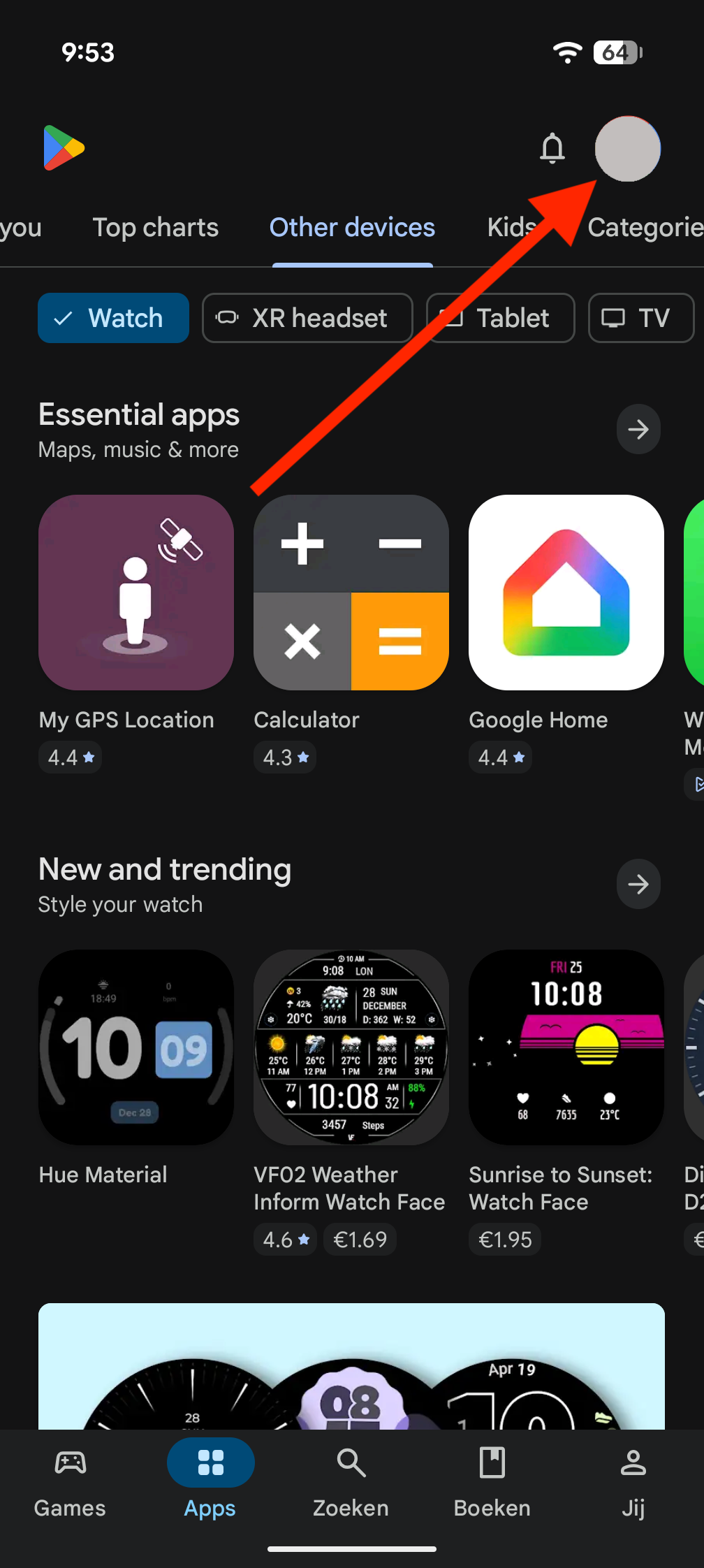
If that app is on your screen, you will see a set of lines at the top left (near the red arrow in the first screenshot). If you press them, the settings menu will appear, as you see in the second screenshot. In the middle of that screen is the option 'Payment methods' - click on it to set your payment methods.
Step 3: Payment options
Once you click on the payment methods option, you will see the window below. In this case we have added both a credit card (the Mastercard at the top) and Ideal as a payment method, which you can see above the line.
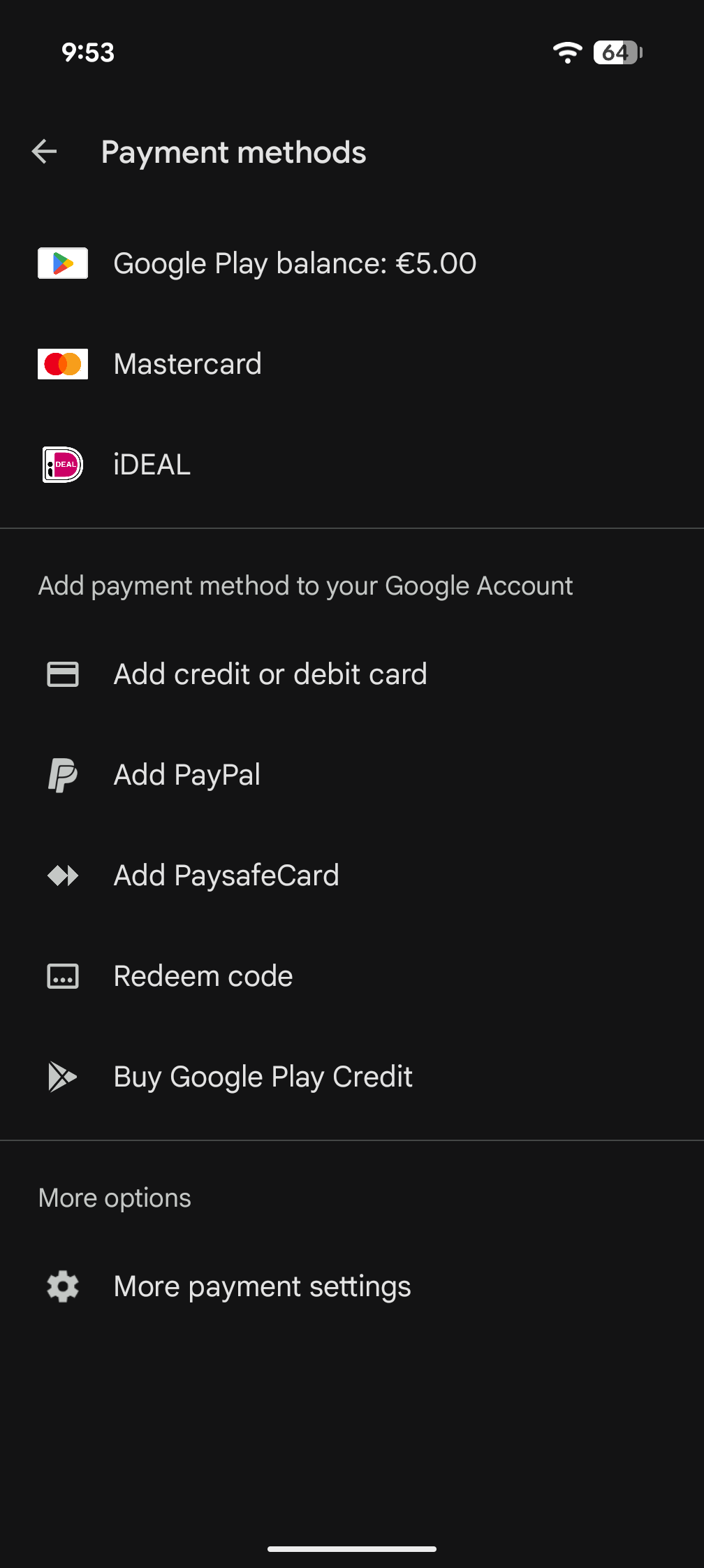
Below the line you see all the options available. So you can set up iDeal and link a credit card to your account, or pay via your telephone bill (in our case, pay via KPN/Telfort). If you have Paypal you could also link that account to Google Play.
You only have to select the payment method you want, after which you will be guided through the setup procedure. You can then pay for apps very easily and securely via Google Play.
Problems with iDeal and Google Play
Unfortunately, not all Dutch banks seem to have their contacts with Google in order, which means that it is sometimes not possible to pay with iDeal. Do you bank with such a bank? This will then be clearly indicated by Google Play. It is best to call your bank to ask how this works, or use one of the alternative payment methods.
What always works: a prepaid card
If you do not want to use the above payment methods, there is an excellent last option: a prepaid card that you can buy in any supermarket these days. They hang on racks at the cash registers or behind the service counter and are available from €10. They look something like this:
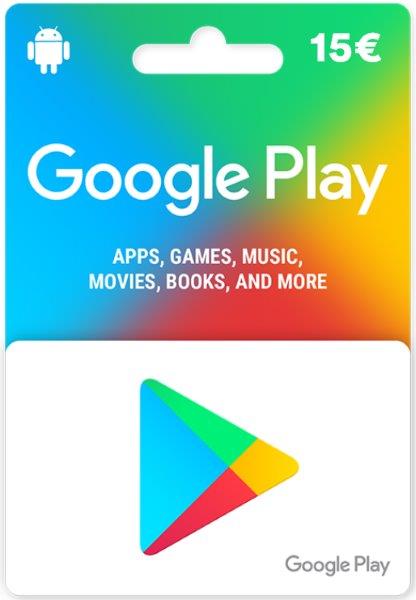
The prepaid cards are accompanied by a clear step-by-step guide in which you can read how to add the credit of the card to your Google Play account (via the 'redeem code' option from the screenshot above). That can hardly go wrong.
Once you have done that, you can use the amount of the card to buy apps or make in-app payments.
Have fun with your upgraded Water Map Live app!